A proxy server sits between your browser and the website you open. Your request goes to the proxy, the proxy forwards it, and the reply travels back the same way. The website sees the proxy’s IP address instead of yours.
That describes how a proxy works. Safety is a separate question, and it comes down to two things: whether the site uses HTTPS, and who runs the proxy. With both in your favor, a proxy is about as safe as your normal connection. With either against you, your traffic is going through someone you cannot vouch for.
What a Proxy Can See
On a plain HTTP site, the proxy sees the entire request: the exact URL, the headers, and the body. Login forms, search terms, and the pages you read all pass through it in the clear. If you type a password into an HTTP page through a proxy, the operator can read it.
With HTTPS, your browser asks the proxy to open a tunnel to the site on port 443, then encrypts everything inside that tunnel. The proxy has to know the hostname to route the connection, so it learns which site you visited and roughly how much data moved. It does not see the page content, the form fields, or your password.
| What the operator knows | HTTP | HTTPS |
|---|---|---|
| Your IP address | yes | yes |
| Destination hostname | yes | yes |
| Full URL and page content | yes | no |
| Form data and passwords | yes | no |
| Timing and traffic volume | yes | yes |
So HTTPS protects what passes through a session. The fact that the session happened remains visible.
Where Your ISP Fits
The path looks like this: your PC, your internet provider, the proxy, then the website. Your provider sees a connection to the proxy and the volume of traffic. With HTTPS it does not see the content either.
The trust moves from your ISP to the proxy operator. A VPN does the same, with the encrypted tunnel one step earlier.
One side effect: with an HTTP or SOCKS proxy, the proxy usually resolves domain names, so your local DNS resolver stays out of the picture. That is covered in more detail in Socks Proxy Remote DNS.
Why Free and Public Proxies Are Risky
A public proxy is open to anyone, and most of them are run by people you cannot identify, often on machines they do not own. The usual problems:
- They can modify traffic: inject ads, popups, or scripts into pages, and rewrite download links.
- They can log what they carry and sell it. Traffic logs are worth money.
- Some proxy services bundle spyware or password-stealing tools with their client.
- An open proxy gets used by bots and scrapers until its IP lands on blocklists. You inherit that reputation and start meeting captchas and bannings.
- There is no accountability. When the proxy breaks or misbehaves, nobody answers.
Free proxies also die fast, which is why people keep hunting for new ones. That churn is another reason not to send anything private through them.
How to Check a Proxy Before You Trust It
You can test a proxy in a couple of minutes. These checks catch most bad ones.
- Open find-ip.net through the proxy. You should see the proxy’s IP, not yours.
- Look at the headers. If
X-Forwarded-For,Via, orProxy-Connectioncarries your real IP, the proxy is transparent and anyone can see through it. - Open an HTTPS site, ideally a mail or bank login page. If the browser shows a certificate warning, stop using that proxy. A valid certificate cannot be faked without your browser objecting.
- Watch the page for anything you did not ask for: extra ads, popups, changed links.
- Keep a note of how long it lasts. Free proxies often work for hours and then disappear.
Habits That Keep Proxy Use Safe
- Use HTTPS for anything that matters. Check the padlock before typing a password.
- Never log into banking, email, or social accounts through a free proxy or a web proxy. A web proxy decrypts pages on its own server, so HTTPS gives you no protection there.
- Log out when you finish. A shared exit IP plus an open session is an easy target.
- Prefer a paid private proxy, with IP whitelisting and username/password authentication. If one credential leaks, the other still blocks access.
- Keep the proxy client and your browser updated.
- Check the port and type before you paste a random proxy into a tool. A mislabelled proxy is a common reason connections fail or leak.
Quick Answers
Can a proxy steal my password?
Only when the connection is unencrypted or the login page is opened through a web proxy. With an HTTPS site accessed through a normal HTTP or SOCKS proxy, the operator sees the hostname but not the credentials.
Does a proxy make me anonymous?
No. It hides your IP from the website. The proxy operator still knows your IP, the sites you reach, and when. The changed IP also stops ordinary IP-based trackers from linking the visit to your connection, but anyone with legal authority can ask the operator for logs.
Is using a proxy legal?
In most countries, yes. Using one to commit fraud or break a platform’s rules is not, and the responsibility sits with you. Some countries restrict proxy and VPN use, so check local rules. We covered the details in Illegal Proxy.
Picking a Proxy You Can Trust
If you want that privacy with a provider you can identify, our My IP Hide is an encrypted private proxy.
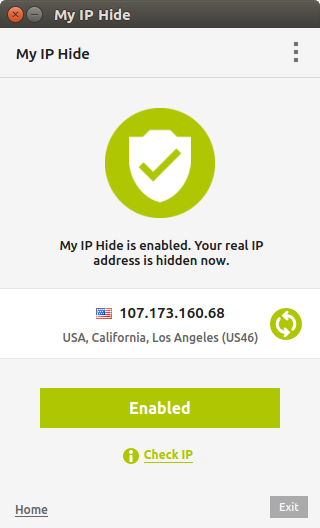
If you need to change IPs on purpose, Rotating Proxy rotates every second or every 30 minutes across 11,000+ addresses over HTTP and SOCKS5, and Matrix is a fixed set of 100 datacenter proxies from 100 subnets.